
If you’ve ever opened CasinoMCW on your phone and wondered whether you should bother installing the app or just stick with the website in your browser, you’re asking exactly the right question. I went back and forth on this myself for a while, so I’ve used both properly — same account, same games — and I can tell you the difference isn’t huge, but it’s real. Let me save you the trial and error.
Quick context before we dive in: the two aren’t separate worlds. They share the same login, the same balance, and the same promotions, so you’re never locked out of anything by picking one over the other. If you haven’t set things up yet, my download guide covers installing the app, and you can always check the platform is right for you in my full MCW review first.
The Quick Comparison
If you just want the headline differences before reading the detail, here’s how the two stack up side by side.
Latest MCW Casino Official Link 2026
★ The App
- Faster loading and smoother animations
- One-tap access from your home screen
- Push notifications for bonuses and results
- Feels more stable during live play
- Android only (installed via APK)
- Takes a little storage space
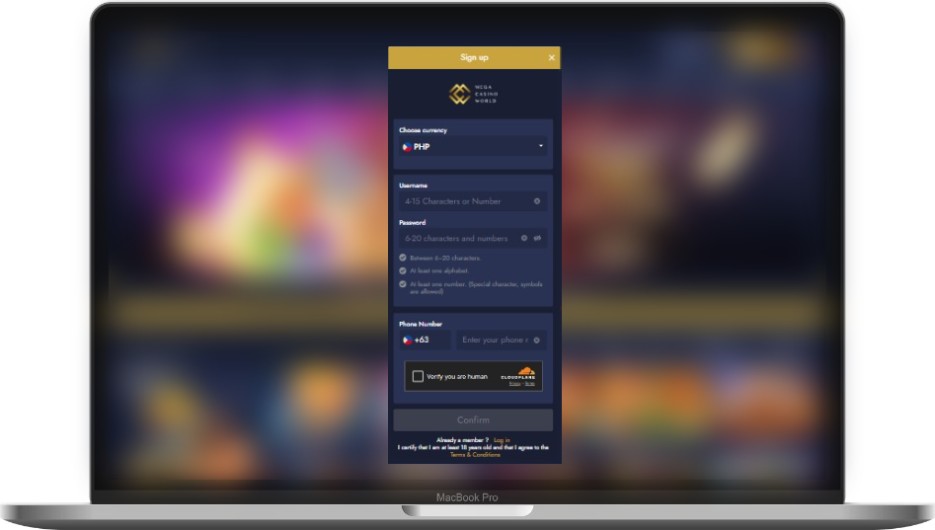
◆ The Web Version
- Nothing to install — open and go
- Works on any device, including iPhone
- Always the latest version automatically
- Doesn’t use up phone storage
- Slightly slower on weaker connections
- No push notifications
Speed and Everyday Feel
This is where the app earns its keep. Because it’s installed on your device, it loads faster and the animations feel that bit smoother — especially noticeable in live casino games and fast-moving sports markets where every second counts. The web version is perfectly usable, but on a busy connection you’ll sometimes feel a slight lag that the app just doesn’t have.
The flip side: the app only matters here if you’re playing a lot. If you log in once or twice a week for a few spins, you honestly won’t notice the difference, and the web version will serve you fine.
Convenience: Install vs Just Open It
Here’s where the web version fights back. There’s nothing to download, nothing to update, and nothing taking up space on your phone. You open your browser, you’re in. For a lot of casual players, that simplicity wins outright.
The app needs a one-time setup — and on Android that means grabbing the APK from the official site rather than the Play Store. It’s quick once you know how (I walk through every step in the download guide), but it’s still a step the web version skips entirely.
What About iPhone Users?
This one’s simple. Since there currently isn’t a dedicated MCW app for iOS, the web version is the natural home for iPhone and iPad players. The good news is you can add the site to your home screen through Safari, which gives you a one-tap icon that behaves almost exactly like an app — without any of the install hassle. So iPhone users aren’t missing out on much at all.

Features, Bonuses, and Your Account
Let me clear up the most common worry: you do not get fewer games or smaller bonuses by using the web version. The game library, the live casino, the sports markets, and the promotions are the same across both. Your account, balance, and history carry over seamlessly because it’s all one platform behind the scenes.
The only real feature gap is push notifications. The app can ping you about a new bonus or a result you’re waiting on; the web version can’t. Whether that’s a plus or an annoyance is entirely down to you — personally I like the heads-up on promotions, but I know plenty of people who’d rather not be pinged.
Data and Battery
A small but practical point people forget. The app tends to be a touch more efficient with data once it’s installed, since some assets are stored locally rather than reloaded every time. The web version reloads more in the browser, which can nudge your data use up slightly on mobile. Neither is dramatic, but if you’re on a tight data plan, the app has a small edge over a month of regular play.
So Which Should You Actually Use?
After all the back and forth, here’s my honest recommendation:
Use the app if you’re on Android and you play regularly. The speed and one-tap access genuinely improve the experience, and the data efficiency is a nice bonus.
Use the web version if you’re on iPhone, you play casually, or you just don’t want anything extra installed on your phone. Add it to your home screen and it’s almost as good as the app anyway.
Honestly? Use both. There’s no rule saying you have to pick. I keep the app on my main phone and use the web version on my laptop and tablet. Same account, no downside.
Frequently Asked Questions
Is the MCW app better than the website?
Do I get fewer games or bonuses on the web version?
Can I use the same account on both?
Which is better for iPhone?
Does the app use less data than the web version?
How do I install the app if I decide I want it?
Ready to Pick Your Setup?
Whether you go app, web, or both, getting started takes a couple of minutes. Same account, same games, your choice of how to play.
That’s my real-world take after using both for months. If it helped you decide, share it with a friend who’s stuck on the same question.
Disclosure: This guide contains affiliate links. If you sign up through them, we may earn a commission at no extra cost to you. We only share information we believe is genuinely useful.

